Programming
Why URL.createObjectURL Can Keep Memory Growing After Files Are Closed
Closing an image or PDF preview does not necessarily release the file's data. A forgotten Blob URL can keep its underlying resource alive long after the preview disappears.
A user opens a PDF in your application, reads a few pages, and closes the preview. Everything appears to work as expected.
They open another file. Then another. The interface continues responding normally, and each document disappears when the preview is closed.
Yet after some time, the browser begins using noticeably more memory.
At first, it would be reasonable to suspect the PDF renderer. Perhaps the viewer keeps decoded pages in memory, or an image-processing library fails to release its buffers.
Those are possible explanations, but there is another one worth checking.
Consider how the files are being displayed:
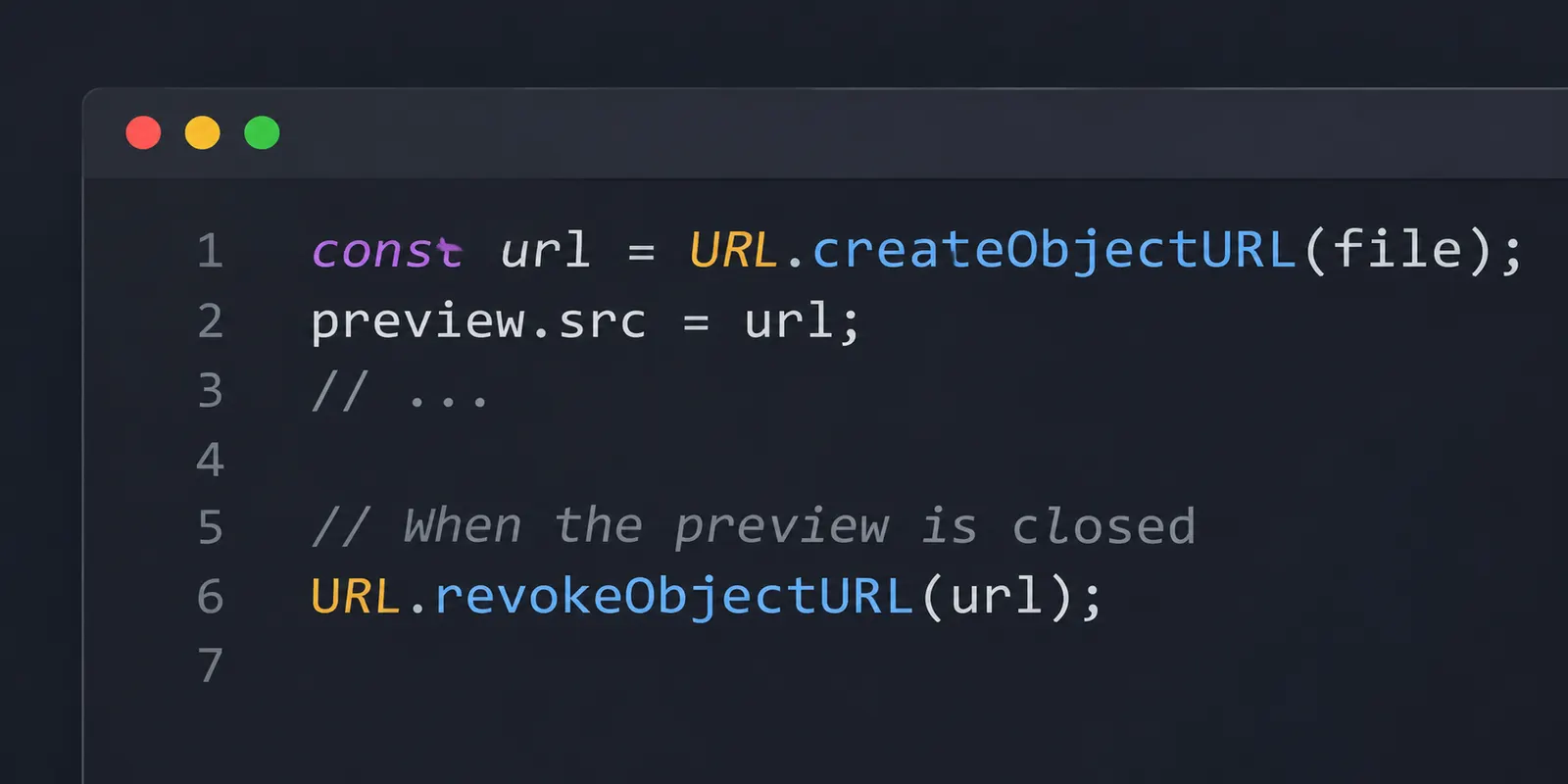
const url = URL.createObjectURL(file);

preview.src = url;
The code looks harmless. We create a URL for the selected file and assign it to the preview element.
When the user closes the preview, we remove the element from the page.
But what happens to the URL?
If nothing explicitly releases it, the browser may continue retaining the underlying Blob or File data even though the element that used the URL no longer exists.
And because the application remains open, this can happen repeatedly.
A URL that does not behave like an ordinary URL
When working with files in the browser, URL.createObjectURL() provides a convenient way to make binary data accessible through a URL.
For example:
const file = new File(
  ["Example document"],
  "example.txt",
  { type: "text/plain" }
);

const url = URL.createObjectURL(file);

console.log(url);
The result resembles:
blob:https://example.com/6e82b82f-9b42-4f26-92f1-5d3c6a7f9012The exact identifier is generated by the browser.
It is not a conventional URL pointing to a file stored on a web server.
Instead, the browser maintains an association between the generated URL and the underlying Blob object.
That allows browser APIs and elements to access the data through familiar URL-based interfaces.
An image element, for example, can use it as its source:
const image = document.createElement("img");

image.src = URL.createObjectURL(file);

document.body.append(image);
The browser can now load the selected file into the image element without requiring an upload to a server.
The same mechanism is commonly used for PDF previews, generated downloads, audio files, and other binary resources.
But there is an important detail.
Creating an object URL establishes a resource association that has its own lifetime.
Removing the variable containing the URL does not necessarily end that lifetime. Neither does removing the element that previously referenced it.
The browser needs to know when the object URL is no longer required.
For that, the API provides another method:
URL.revokeObjectURL(url);This releases the association created by URL.createObjectURL().
The existence of this second method is easy to overlook, especially because the first method works perfectly well without it.
At least initially.
Why removing the preview is not enough
Suppose we build a basic image preview.
function showPreview(file) {
  const image = document.createElement("img");

  image.src = URL.createObjectURL(file);

  document.querySelector("#preview").append(image);
}
Every time the user selects a file, the application creates a new object URL.
Now imagine that the user closes the preview:
document.querySelector("#preview").replaceChildren();The image element disappears.
From the interface’s perspective, the preview is closed.
But the object URL has not been revoked.
The browser’s object URL registry may still associate the generated URL with its original file data.
This is the part that is easy to miss.
JavaScript’s garbage collector can reclaim objects that are no longer reachable through the relevant references. However, an active object URL keeps the underlying Blob available through a browser-managed association.
Simply losing the JavaScript variable that originally held the URL does not revoke it.
In fact, losing that variable can make the situation more inconvenient. The application may no longer have the string needed to release the URL explicitly.
The File API specification describes the lifetime of object URLs, including their registration and revocation.
Browsers also release these associations when the relevant document is unloaded.
But that automatic cleanup does not help much if the application remains open for hours.
A single-page application may replace components, switch routes, open dialogs, and close previews without performing a full document navigation.
During that time, old object URLs can remain active.
This makes long-lived applications particularly vulnerable to forgotten cleanup.
Creating a new URL for the same file does not reuse the previous one
There is another detail worth considering.
Suppose a user selects the same file twice.
We might assume that the browser recognizes the file and returns an existing URL.
But that is not how URL.createObjectURL() works.
Consider:
const blob = new Blob(["Hello"]);

const firstUrl = URL.createObjectURL(blob);
const secondUrl = URL.createObjectURL(blob);

console.log(firstUrl === secondUrl);
The result is:
falseBoth URLs refer to the same underlying Blob, but they are distinct object URLs.
Each successful call creates its own association.
This does not mean that the browser necessarily duplicates the entire file’s bytes in memory every time the method is called.
The URL is a reference to data, not automatically a complete binary copy.
However, each active URL represents another association that needs to be released.
If an application creates ten URLs for the same Blob and revokes only one, the others can still keep the data available.
That matters when developers try to solve memory growth by removing only the most recently created URL.
If older URLs were never tracked, their associations may remain active until the document is unloaded.
The better approach is to associate each generated URL with a clear owner and a corresponding cleanup operation.
Keeping track of the current preview
For a simple preview interface, we can store the currently active object URL.
When the user chooses a different file, we release the previous preview before creating the new one.
When they close the preview, we release the remaining URL.
Consider this HTML:
<input id="file-input" type="file" accept="image/*" />

<img id="preview" alt="Selected image" hidden />

<button id="close-preview" type="button">
  Close preview
</button>
And the JavaScript:
const fileInput = document.querySelector("#file-input");
const preview = document.querySelector("#preview");
const closeButton = document.querySelector("#close-preview");

let currentUrl = null;

function releasePreview() {
  preview.removeAttribute("src");
  preview.hidden = true;

  if (currentUrl !== null) {
    URL.revokeObjectURL(currentUrl);
    currentUrl = null;
  }
}

fileInput.addEventListener("change", () => {
  const file = fileInput.files?.[0];

  releasePreview();

  if (!file) {
    return;
  }

  if (!file.type.startsWith("image/")) {
    return;
  }

  currentUrl = URL.createObjectURL(file);

  preview.src = currentUrl;
  preview.hidden = false;
});

closeButton.addEventListener("click", () => {
  releasePreview();
});
There are two places where cleanup occurs.
The first is when the selected file changes. The previous preview is no longer needed, so its object URL is revoked before another is created.
The second is when the user closes the preview.
In both cases, the application has reached a point where it deliberately stops using the old URL.
Notice that we also clear the image’s src attribute.
This prevents the element from continuing to reference an object URL that has just been revoked.
We are not waiting for the garbage collector to decide that the preview is no longer relevant.
The application explicitly manages the lifetime of the resource.
For a preview that can display only one file at a time, this arrangement is reasonably straightforward.
A gallery containing dozens of simultaneous previews would need a different structure, but the principle remains the same: each active URL should have an identifiable cleanup point.
Why revoking the URL immediately after loading can be wrong
Once developers discover URL.revokeObjectURL(), another problem sometimes appears.
They begin releasing URLs too early.
Consider:
const url = URL.createObjectURL(file);

const image = document.createElement("img");

image.onload = () => {
  URL.revokeObjectURL(url);
};

image.src = url;
The intention seems reasonable.
The image has finished loading, so the URL is no longer necessary.
Or is it?
The browser may have already decoded enough data to display the image. But the user might still expect to interact with it.
Perhaps they want to right-click and save the image, or open it in a new tab.
Revoking the object URL immediately after the load event can interfere with those operations.
MDN specifically warns against this pattern for images that remain available to the user.
The relevant question is not whether the image has finished loading.
It is whether the resource still needs to be accessible.
If the user can continue interacting with the image, the URL may still serve a purpose.
A better cleanup point is when the image is removed from the interface or replaced with another resource.
This also explains why calling revokeObjectURL() immediately after assigning src is unreliable.
const url = URL.createObjectURL(file);

image.src = url;

URL.revokeObjectURL(url);
The image may not have finished loading when the URL is revoked.
The browser could therefore lose access to the resource before the load completes.
The method is intended for releasing URLs that are no longer required, not for automatically following every call to createObjectURL().
PDF previews make the lifetime less obvious
Images provide a relatively simple example because the browser exposes a familiar image element.
PDF previews can be more complicated.
Suppose a user selects a PDF and the application displays it inside an iframe:
const url = URL.createObjectURL(pdfFile);

const iframe = document.createElement("iframe");

iframe.src = url;

document.querySelector("#viewer").append(iframe);
The browser may load the document using its built-in PDF viewer.
The user can scroll through pages, zoom, search, print, or download the document, depending on the browser.
Now suppose we revoke the URL as soon as the iframe fires its load event.
Would that be safe?
Not necessarily.
An iframe load event does not provide a universal guarantee that every operation of an embedded PDF viewer has finished using the underlying document.
The viewer may still need access to the resource while the user interacts with it.
Revoking the URL too early can therefore be problematic.
Instead, the application should generally keep the object URL active for as long as that PDF preview needs it.
When the preview is closed, the iframe can be removed or have its source cleared, and the associated URL can then be revoked.
A simplified implementation might look like this:
let activePdfUrl = null;

function openPdf(file) {
  closePdf();

  activePdfUrl = URL.createObjectURL(file);

  const iframe = document.createElement("iframe");

  iframe.src = activePdfUrl;
  iframe.title = "PDF preview";

  document.querySelector("#viewer").append(iframe);
}

function closePdf() {
  const viewer = document.querySelector("#viewer");

  viewer.replaceChildren();

  if (activePdfUrl !== null) {
    URL.revokeObjectURL(activePdfUrl);
    activePdfUrl = null;
  }
}
When another PDF is opened, the previous preview is closed first.
The old iframe disappears, and its object URL is released.
The same happens when the user closes the viewer entirely.
The example assumes the browser is being used to display one PDF preview at a time. It does not attempt to manage a document that was independently opened in another tab.
If a PDF must remain accessible after the original preview is closed, its lifetime needs to be managed accordingly.
The important part is that the resource is released according to its actual use, not merely according to an arbitrary timer or the first load event.
The React version of the same problem
In React, this issue often appears when an object URL is created during rendering.
Consider:
function ImagePreview({ file }) {
  if (!file) {
    return null;
  }

  return (
    <img
      src={URL.createObjectURL(file)}
      alt="Preview"
    />
  );
}
The component is short, and it works.
But every time React renders it with a file, URL.createObjectURL(file) executes again.
A re-render does not necessarily mean the file has changed.
The parent component might update its state for an unrelated reason. A form field might change, or another section of the interface might be refreshed.
Still, the render creates another object URL.
React may update the image’s src, but no code releases the previous URL.
That is a particularly troublesome pattern because the number of generated URLs can become tied to the number of renders rather than the number of actual file selections.
Creating object URLs is a side effect that requires cleanup. It should not be performed unconditionally inside the render output.
Managing the URL with useEffect
A more suitable arrangement is to create the URL when the file changes and revoke it when the preview no longer needs it.
import { useEffect, useState } from "react";

function ImagePreview({ file }) {
  const [previewUrl, setPreviewUrl] = useState(null);

  useEffect(() => {
    if (!file) {
      setPreviewUrl(null);
      return;
    }

    const url = URL.createObjectURL(file);

    setPreviewUrl(url);

    return () => {
      URL.revokeObjectURL(url);
    };
  }, [file]);

  if (!file || !previewUrl) {
    return null;
  }

  return (
    <img
      src={previewUrl}
      alt="Selected file preview"
    />
  );
}
The effect runs when the file dependency changes.
It creates an object URL and stores it for the preview.
If the component receives another file, React runs the cleanup for the previous effect before establishing the new one.
If the component unmounts, the cleanup also runs.
Notice that the cleanup references the local url constant, not a mutable variable that might later point to another file.
This matters.
Each effect is responsible for releasing the exact URL it created.
The example assumes that the file prop is a stable File object representing the current selection. If a parent unnecessarily creates a new Blob or File on every render, the effect will also see those as different dependencies and recreate the URL.
For ordinary file-picker state, where the selected File object is retained until the selection changes, this pattern is appropriate.
What about React Strict Mode?
During development, React Strict Mode may execute an additional setup-and-cleanup cycle for effects.
This is intentional behavior intended to reveal incorrect effect cleanup.
For code that creates object URLs, that extra cycle can be useful.
An effect should be able to create its resource, release it, and create a new one without leaving the previous association active.
If the preview breaks after this sequence, the application may be relying on a URL that has already been revoked.
Rather than disabling Strict Mode, inspect whether each effect manages its own resource correctly.
In a production build, Strict Mode’s additional development-only effect checks are not performed in the same way.
But proper cleanup remains necessary, regardless of the rendering mode.
Generated downloads can have the same problem
Object URLs are not used only for previews.
Suppose an application generates a CSV file in the browser.
const blob = new Blob(
  ["id,name\n1,Alice\n2,Daniel"],
  { type: "text/csv" }
);

const url = URL.createObjectURL(blob);
The application might create a download link:
const link = document.createElement("a");

link.href = url;
link.download = "users.csv";
link.textContent = "Download CSV";

document.body.append(link);
The user clicks the link and downloads the file.
If the link remains visible so the user can download the file again, the URL should remain available while it is needed.
But if the application later removes the download control, the object URL should be released as well.
function removeDownload() {
  link.remove();
  URL.revokeObjectURL(url);
}
A common variation creates a temporary link, programmatically clicks it, and revokes the object URL immediately afterward.
That approach is widely seen, but the exact timing of download initiation and resource use can differ across browsers.
Revoking the URL synchronously immediately after initiating a download is therefore not the most reliable general recommendation.
For an interface with a visible download link, retaining the URL while the link is available and revoking it when the link is removed is straightforward.
For a one-time programmatic download, cleanup should happen after the browser has safely initiated its use of the resource. The appropriate timing depends on the download mechanism rather than on a universal fixed delay.
A setTimeout with an arbitrary number of milliseconds may appear to solve the problem, but the timeout itself does not prove that the browser has finished using the resource.
The same lifecycle question returns: when does the application genuinely stop needing the URL?
How to investigate suspected Blob URL memory growth
Suppose your application has already been running for some time, and you suspect forgotten object URLs.
How can you verify the cause?
The first step is to inspect the code that creates them.
Search the project for:
URL.createObjectURL(Then look for the corresponding:
URL.revokeObjectURL(The existence of both calls does not automatically prove that cleanup is correct.
They need to correspond to the same resources, and the cleanup must actually execute when those resources are no longer used.
A common mistake is to create URLs inside event handlers or render functions without retaining references to them.
Another is to revoke only the latest URL while older ones remain active.
To examine the behavior, use a repeatable scenario.
Open the same large image or PDF several times, closing the preview after each operation.
Observe memory usage over a period of time rather than relying on one measurement.
Chrome DevTools, the browser’s Task Manager, or other browser-specific diagnostic tools can help reveal growing memory consumption.
However, memory measurements require some care.
JavaScript heap usage does not necessarily include all memory associated with Blob data, decoded images, PDF rendering, or browser-managed resources.
The browser may also retain caches or delay reclaiming unused memory.
As a result, a memory graph does not have to return immediately to its original value after calling revokeObjectURL().
A rising graph by itself does not establish that object URLs are the cause.
The more convincing evidence comes from combining memory observations with code inspection and a reproducible difference after cleanup is added.
For example, if repeated preview operations previously created URLs without releasing them, and introducing correct cleanup stops the long-term accumulation of retained resources, that supports the diagnosis.
It still does not mean every remaining memory fluctuation is a leak.
Browsers perform substantial work while decoding and rendering files, and some of that memory behavior is unrelated to object URL registration.
Revoking a URL does not destroy the original File
There is one more distinction that can prevent confusion.
Suppose an application receives a File object from a file input:
const file = fileInput.files[0];It then creates a URL:
const url = URL.createObjectURL(file);Later, the preview is closed:
URL.revokeObjectURL(url);Does revoking the URL delete the File object?
No.
The method releases the object URL association.
If the application still holds a reference to the original File, that object can remain available.
For example:
const newUrl = URL.createObjectURL(file);The application can create another URL for the same file, provided the File object is still available.
This is particularly useful when a user selects a file once but needs to preview it several times.
The application can retain the File in its state or another appropriate data structure and create a preview URL only while the preview is open.
When the preview closes, the URL is revoked.
If the user opens the preview again, a new URL can be created from the retained File.
The file does not need to be reselected solely because the previous object URL was released.
However, retaining the File itself can also keep its data available to the application. Revoking its URL does not guarantee that all memory associated with the File becomes reclaimable immediately.
Object URLs are one part of resource management, not a universal memory cleanup mechanism.
What about FileReader and data URLs?
An alternative approach to previewing files is FileReader.
For example:
const reader = new FileReader();

reader.onload = () => {
  image.src = reader.result;
};

reader.readAsDataURL(file);
This converts the file into a data URL containing an encoded representation of its contents.
Unlike a Blob URL, the data is embedded directly in the resulting string.
That means it does not require the same object URL registry association.
But it introduces different memory considerations.
Base64 encoding increases the size of the binary representation, and holding the resulting string can consume substantial memory for large files.
If the string is retained in application state after the preview closes, the application may still keep unnecessary data alive.
Switching from createObjectURL() to FileReader.readAsDataURL() therefore does not automatically solve memory problems.
For large binary files, object URLs are often a practical choice because they avoid embedding the complete file contents into a data URL string.
The important difference is that Blob URLs come with an explicit revocation lifecycle.
FileReader has its own resource and memory considerations.
Neither approach removes the need to understand which references the application continues to hold.
When the browser finally releases the URL
Object URLs are associated with the environment in which they were created.
In a normal web document, the browser releases the document’s object URLs when that document is unloaded.
This explains why memory growth may disappear after refreshing the page or closing the tab.
The old document and its object URL associations no longer need to remain active.
But a modern application may stay on the same document for a long time.
React, Vue, and other client-side applications can change nearly everything visible on the screen without unloading the page.
A modal closes. Another route appears. A PDF viewer is replaced by an image editor.
The document itself remains.
So do any object URLs that have not been revoked and whose environment is still active.
This is why lifecycle cleanup matters more in applications that handle many files during a single session.
A short-lived page may never accumulate enough forgotten URLs for the problem to become noticeable.
A browser-based document manager that remains open throughout the working day is a different situation.
The user may open dozens of files without ever refreshing the document.
If every preview creates another URL without releasing its predecessor, the accumulated associations can retain resources long after they have disappeared from the interface.
Closing the interface is not the same as releasing the resource
Imagine the original PDF preview again.
The user opens a document, examines it, and clicks Close.
The iframe disappears.
From the application’s perspective, the operation seems finished.
But the code may have performed only the visible half of the cleanup.
The element was removed, while its object URL remained registered.
This is why the problem can remain unnoticed during ordinary testing. Nothing necessarily breaks immediately, and the first few previews may use too little memory to reveal the accumulation.
The issue becomes more apparent when the same operation is repeated over time.
There is no need to avoid URL.createObjectURL(). It is a useful browser API, particularly for working with locally selected files and generated binary data.
The essential part is giving every created URL an appropriate lifetime.
An image preview needs its URL while the image remains available for interaction. A PDF viewer may need it throughout the viewing session. A download link needs it while the link remains usable.
Once that purpose ends, the corresponding URL can be revoked.
Not earlier, because the browser might still need it.
And not indefinitely, merely because the application forgot which code was responsible for creating it.
The preview may be gone from the screen, but until the resource association is released, that does not necessarily mean the browser is finished with the file.