Programming
Why React Renders a Random Zero Instead of Hiding a Component
A React component should disappear when an array becomes empty, but a zero appears in its place. The cause is hidden in what JavaScript's && operator actually returns.
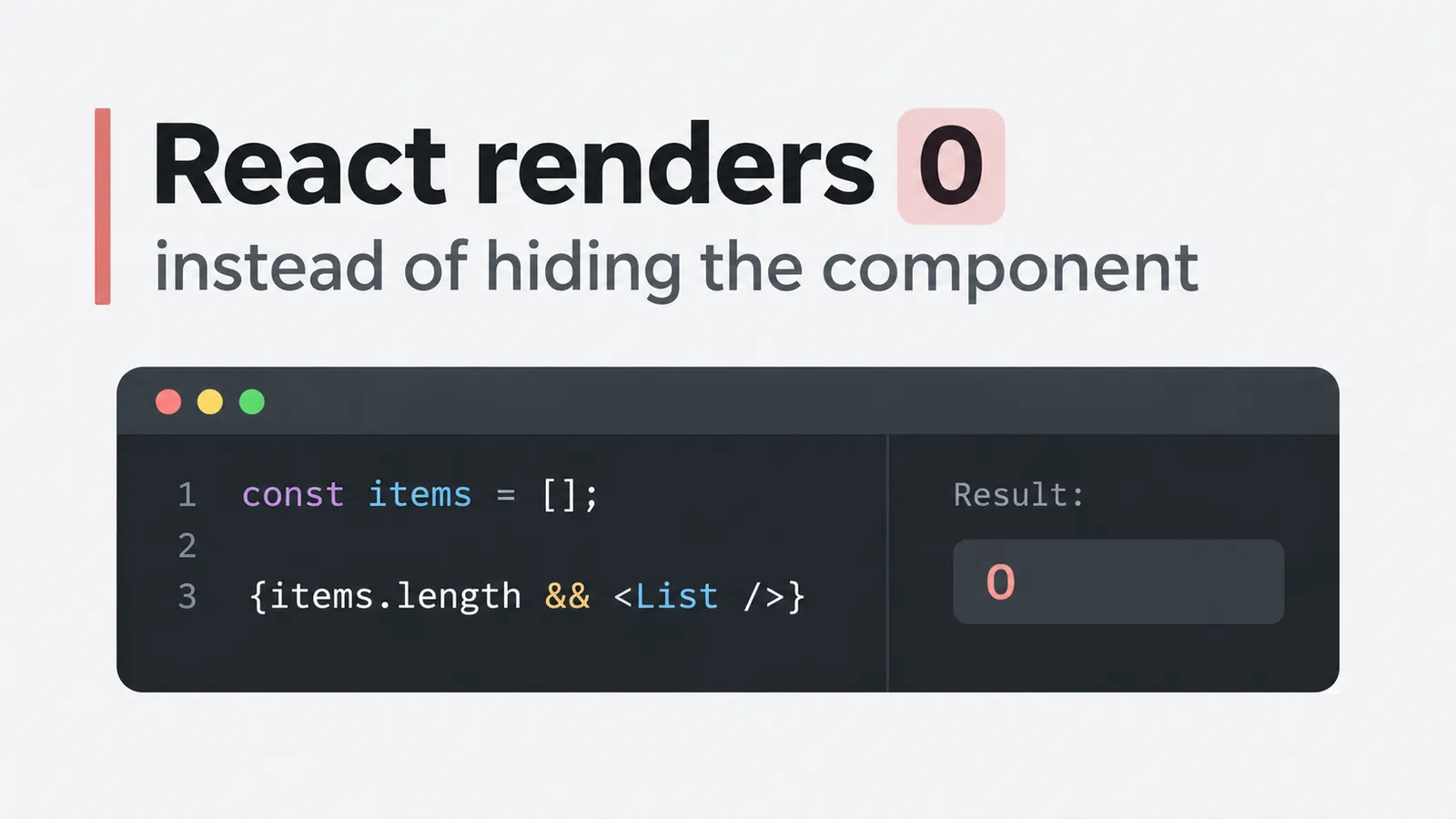
You have a list of items. When the list contains something, React displays it. When the array is empty, the component should disappear.
At least, that is what the condition seems to say.
function ProductList({ items }) {
  return (
    <div>
      {items.length && <List items={items} />}
    </div>
  );
}
With three items, everything works.
But when items becomes an empty array, something unexpected happens. The list disappears, yet a single 0 remains on the page.
Perhaps the list component is rendering it? Or maybe some state variable is being displayed accidentally?
You inspect <List />, but it never even renders when the array is empty.
So where did the zero come from?
The answer is in the expression preceding the component.
JavaScript’s && operator does not necessarily return a Boolean. And React does not treat every falsy value as something that should disappear.
What && actually returns
Consider a simple JavaScript expression:
const result = 3 && "Hello";

console.log(result);
// "Hello"
The result is not true.
It is the string "Hello".
Now change the first operand:
const result = 0 && "Hello";

console.log(result);
// 0
This time, JavaScript returns the number zero.
Why?
The logical AND operator evaluates its operands from left to right. If it encounters a falsy value, it stops evaluating and returns that value.
If the first operand is truthy, the operator continues and returns the second operand.
This behavior is called short-circuit evaluation.
The important detail is that the operator returns one of the operands themselves, not necessarily a Boolean representing the result.
Consider a few more examples:
false && "Hello";     // false
0 && "Hello";         // 0
"" && "Hello";        // ""
null && "Hello";      // null
5 && "Hello";         // "Hello"
These expressions follow the same rule.
But the returned values are different.
And that difference becomes significant when we place the expression inside JSX.
Why React hides false but displays 0
React supports several kinds of children.
An element, a string, or a number can appear inside JSX and be rendered into the page.
For example:
function Example() {
  return (
    <div>
      {42}
    </div>
  );
}
React renders:
<div>42</div>That is expected.
But React also accepts values such as false, null, and undefined as empty nodes. They do not produce visible text.
Consider:
function Example() {
  return (
    <div>
      {false}
      {null}
      {undefined}
    </div>
  );
}
Nothing visible appears inside the <div>.
Now consider:
function Example() {
  return (
    <div>
      {0}
    </div>
  );
}
React renders the zero.
It is a number, and numbers are valid React children.
This explains the original problem.
When we write:
{items.length && <List items={items} />}the expression depends on the value of items.length.
If the array contains three items, its length is 3.
3 && <List />Since 3 is truthy, the expression evaluates to the JSX element.
React renders the component.
But when the array is empty:
0 && <List />JavaScript stops at the first operand and returns 0.
React receives that number as a child.
And because React renders numbers, the zero appears on the page.
Nothing random happened. The component is not producing the zero, either.
The conditional expression itself produced it.
Fixing the condition
The simplest solution is to make the condition return a Boolean rather than the array’s length.
For example:
function ProductList({ items }) {
  return (
    <div>
      {items.length > 0 && <List items={items} />}
    </div>
  );
}
Now consider what happens when the array is empty.
items.length > 0evaluates to:
falseThe expression therefore becomes:
{false && <List items={items} />}JavaScript returns false, and React renders nothing.
When the array contains items, the condition evaluates to true, so the component appears normally.
We have changed very little code, but the result is different because the first operand is now a Boolean.
Another possible solution is:
{!!items.length && <List items={items} />}The double negation converts the number into a Boolean.
!!0; // false
!!3; // true
This works, although items.length > 0 is usually clearer about what the condition is checking.
There is also the ternary operator:
{items.length > 0
  ? <List items={items} />
  : null}
This explicitly describes both possible results.
When items exist, render the list.
Otherwise, return null.
For a simple condition, the && version is shorter. When the two branches represent different UI states, a ternary may be easier to read.
For example:
{items.length > 0
  ? <List items={items} />
  : <p>No products found.</p>}
Here, the empty state is intentional rather than an accidental number left behind by JavaScript.
The same problem appears when rendering arrays directly
The unexpected zero does not require a separate component.
Consider:
function Tags({ tags }) {
  return (
    <div>
      {tags.length && tags.map((tag) => (
        <span key={tag}>{tag}</span>
      ))}
    </div>
  );
}
With several tags, the output looks correct.
But when tags becomes an empty array, React renders 0.
The map() operation is not responsible.
In fact, it is never executed when tags.length is zero, because && stops evaluating at the falsy operand.
The corrected version is:
function Tags({ tags }) {
  return (
    <div>
      {tags.length > 0 && tags.map((tag) => (
        <span key={tag}>{tag}</span>
      ))}
    </div>
  );
}
But there is another possibility worth considering.
Do we need the condition at all?
Calling .map() on an empty array already produces an empty array.
React can render that array without producing visible content.
So the component can be simplified:
function Tags({ tags }) {
  return (
    <div>
      {tags.map((tag) => (
        <span key={tag}>{tag}</span>
      ))}
    </div>
  );
}
This produces the intended result for both empty and populated arrays.
No additional condition is necessary.
Of course, if the application needs to display a wrapper, heading, or other element only when tags exist, a condition may still be appropriate.
But if the sole purpose of the length check is to avoid mapping an empty array, the check adds complexity without providing a benefit.
Why it might appear only after an API request
This bug can be particularly confusing in applications that load data asynchronously.
Suppose a component initially displays several records:
const [items, setItems] = useState([
  { id: 1, name: "Keyboard" }
]);
The condition works because the array contains an item.
Later, an API request returns an empty result:
setItems([]);React renders the component again.
Now items.length is zero, and the JSX expression returns that zero.
The list disappears, leaving the number behind.
This might create the impression that the API returned an unexpected value, or that React failed to clear part of the previous render.
But the response can be perfectly valid.
The state update can also be correct.
The unexpected output comes from how the rendering condition handles the empty state.
That is why the problem sometimes survives an initial review of the data and state management code.
The developer examines the array, confirms that it is empty, and sees no reason for anything to remain on the screen.
Yet the empty array is exactly what makes the zero appear.
Not every falsy value produces a visible result
One detail makes this problem slightly deceptive.
Consider:
{"" && <Component />}The first operand is an empty string.
JavaScript returns that string, but React renders no visible characters.
Now consider:
{false && <Component />}JavaScript returns false, and React treats it as an empty node.
Both appear to work as intended.
But:
{0 && <Component />}returns a number, and React renders it.
So the real issue is not that && fails to evaluate the condition correctly.
It evaluates the condition exactly as JavaScript specifies.
The difference comes afterward, when React receives the returned value.
This is why numeric conditions deserve a little more attention in JSX.
A Boolean expression such as items.length > 0 communicates the intended rendering decision directly.
A raw numeric expression such as items.length can accidentally become part of the rendered output.
The zero is coming from the condition, not the component
Return to the original example:
{items.length && <List items={items} />}The code appears to say: render the list when items exist.
But that is only an informal interpretation.
What JavaScript actually does is evaluate items.length, decide whether to continue to the second operand, and return one of those values.
When the length is positive, React receives the component.
When the length is zero, React receives the number zero.
And React renders numbers.
The fix is therefore not in the list component, the state variable, or the API response.
It is in the condition itself:
{items.length > 0 && <List items={items} />}Once the first operand returns a Boolean, the behavior matches the original intention.
This is a small problem, but it illustrates something useful about JSX.
Expressions inside curly braces are still JavaScript expressions. React does not reinterpret the && operator as a special instruction to show or hide components.
It receives the result of the expression and renders whatever that result represents.
Sometimes that result is a React element.
Sometimes it is false, which produces nothing visible.
And sometimes it is simply 0.