Android
One UI 9 Is Installed, but Some Features Are Missing — Why?
Installing One UI 9 does not guarantee access to every feature shown in Samsung's announcements. Some require a Samsung Account, certain Galaxy models, supported regions, or specific conditions.
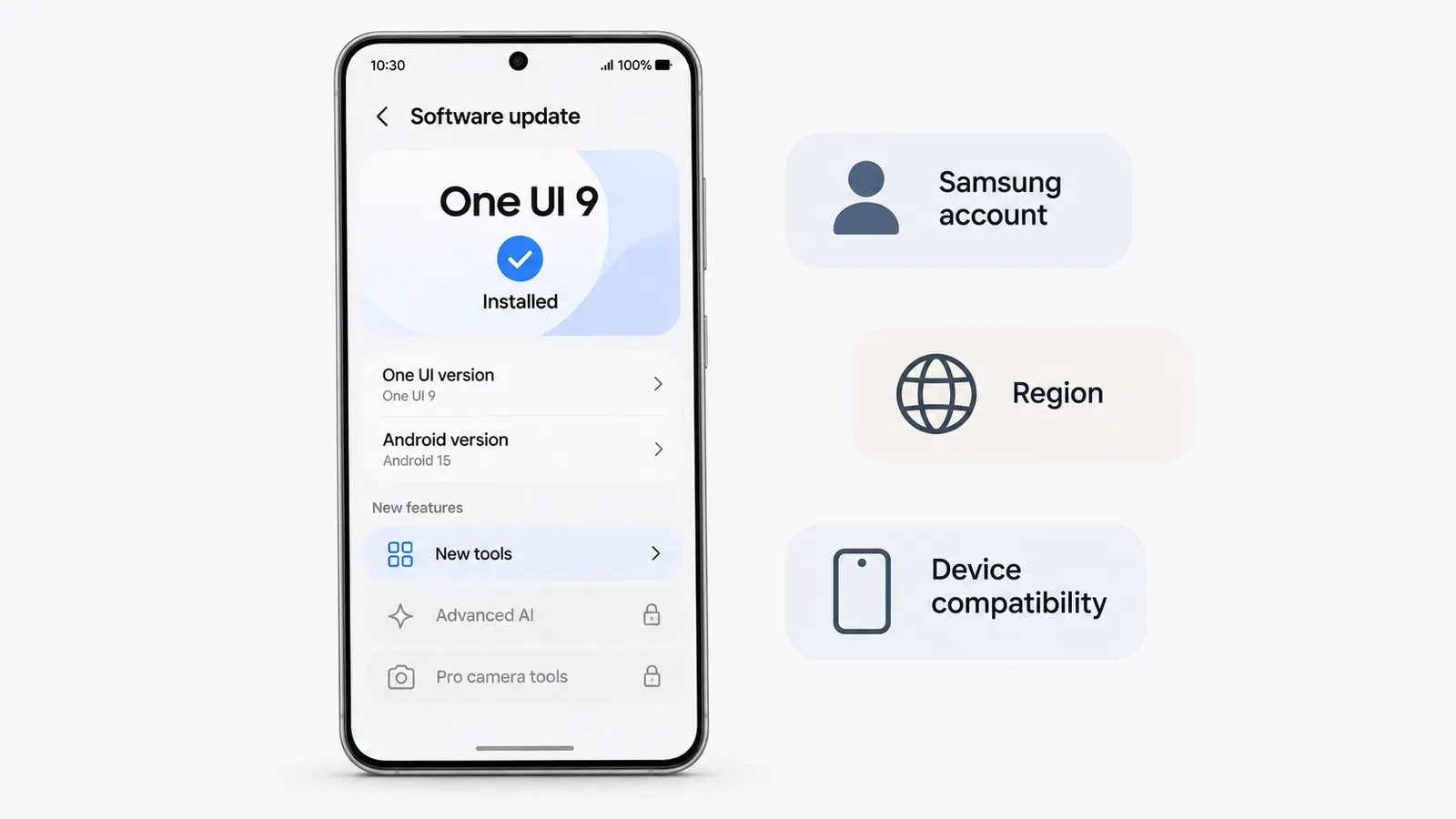
You update your Galaxy phone to One UI 9, restart it, and begin looking for the new features Samsung announced.
The interface has changed. The software information confirms that One UI 9 is installed. Yet some of the features shown in promotional materials are nowhere to be found.
Perhaps My FanCam is missing from Gallery. Now Brief does not offer the expected custom cards, or a new privacy option shown in Samsung’s announcement is absent from Settings.
It would be reasonable to suspect that the update was incomplete.
But installing the latest One UI version does not necessarily mean that every feature associated with it becomes available.
Samsung’s September 16, 2026 announcement introduced One UI 9 to the Galaxy S26, S26+, and S26 Ultra, following its debut on the Galaxy Z Fold8 Ultra, Fold8, and Flip8. The company has since continued expanding the rollout to additional Galaxy devices.
The important detail is in Samsung’s availability notes.
Individual features may depend on the device model, region, language, Samsung Account, or even the content being processed.
That makes the installed One UI version only one part of the compatibility question.
One UI 9 and Galaxy AI do not share one compatibility list
Imagine two Galaxy phones running One UI 9.
Both have received the same major interface generation, but that does not guarantee identical Galaxy AI capabilities.
Some features depend on supported hardware or device families. Others rely on accounts, services, regional availability, or particular applications.
For example, Samsung identifies a specific list of Galaxy phones and tablets supporting AI-powered Privacy Alerts.
That list includes selected Galaxy S26, S25, S24, and S23 models, several Galaxy Z Fold and Flip generations, and supported Galaxy Tab models.
The list does not simply say every device running One UI 9.
This distinction explains why a phone can receive the new interface without receiving every AI capability advertised alongside it.
There are also features designed for particular physical configurations. An improvement to the Galaxy Z Flip8’s FlexWindow, for instance, is tied to the foldable cover-screen experience.
Installing One UI 9 on a conventional Galaxy phone cannot provide a cover display that the hardware does not have.
Which features have additional requirements?
Samsung’s official announcements and support pages identify several restrictions.
The table below summarizes the documented conditions as of November 18, 2026.
| Feature | Documented requirements or limitations |
|---|---|
| My FanCam | Requires Samsung Account login, a supported Galaxy device, and suitable video content. Cannot track a person when no suitable subject is detected. |
| Now Brief custom cards | Requires Samsung Account login. Availability varies by device, region, language, and app. Some functionality needs internet access and permission for personal-data processing. |
| Now Nudge | Requires Samsung Account login. Availability depends on region, language, and supported applications. |
| Privacy Alerts | Samsung identifies specific supported Galaxy S, Z, and Tab models. One UI 9 alone does not establish compatibility. |
| Warranty and Care | Available functions vary by region. Warranty information depends on devices associated with the Samsung Account; repair estimates and Care+ services have additional restrictions. |
| Interpreter | Requires Samsung Account login. Some languages need downloadable language packs; regional and carrier restrictions may apply. |
| Scam Detection | Availability varies by market, language, model, and software version. Samsung’s September announcement identified Japan, Canada, and India as expansion markets. |
| FlexWindow enhancements | Depend on compatible Galaxy foldable hardware. Improvements designed for the Galaxy Z Flip8 cover screen are not general features of every Galaxy phone. |
The table should not be interpreted as a complete device compatibility database. Samsung publishes different requirements for individual functions, and regional documentation can differ.
A missing feature therefore needs to be checked against its own requirements rather than against the One UI version alone.
My FanCam is a good example
My FanCam is one of the more visible additions associated with One UI 9.
It can reframe an existing video around a selected person, keeping that person centered as the footage changes.
But there are two different reasons why someone might think the feature is missing.
The first is actual availability.
Samsung requires a Samsung Account login, and device compatibility still matters.
The second is the video being edited.
Samsung’s support documentation explains that My FanCam may not be supported when the video’s resolution is below 720 × 720 pixels or when the feature has already been applied to that video.
Tracking can also fail when people are too small in the frame, their clothing makes identification difficult, or their poses interfere with recognition.
So an unavailable My FanCam option does not always mean the installation failed.
If the device supports the feature, the documented workflow is to open Gallery, select a video, tap the Galaxy AI icon, and choose My FanCam when available.
The application then attempts to identify people who can be selected for tracking.
If the option appears for one video but not another, the problem is more likely to involve the content than the One UI installation itself.
If it never appears, account requirements and device support deserve attention first.
Now Brief has another layer of requirements
Now Brief custom cards introduce a different situation.
Samsung says the feature requires a Samsung Account and may also need network access.
For personalized cards, the user may need to accept a data-processing agreement.
Samsung’s support instructions describe the following path on compatible devices:
Settings → Galaxy AI → Now Brief → Custom cards
The documentation also mentions a limit of three simultaneously created custom cards and limits on daily generation or editing.
Those are functional restrictions, not evidence of a faulty update.
If a custom-card option is absent, the first question is whether that particular device and regional configuration support it.
If the option exists but cannot be used, the account, network, permissions, or usage limits become more relevant.
These situations can look similar to the user, yet they have different causes.
What to check before assuming the update is broken
Start by confirming the installed software version.
On Galaxy phones, the information is generally available under:
Settings → About phone → Software information
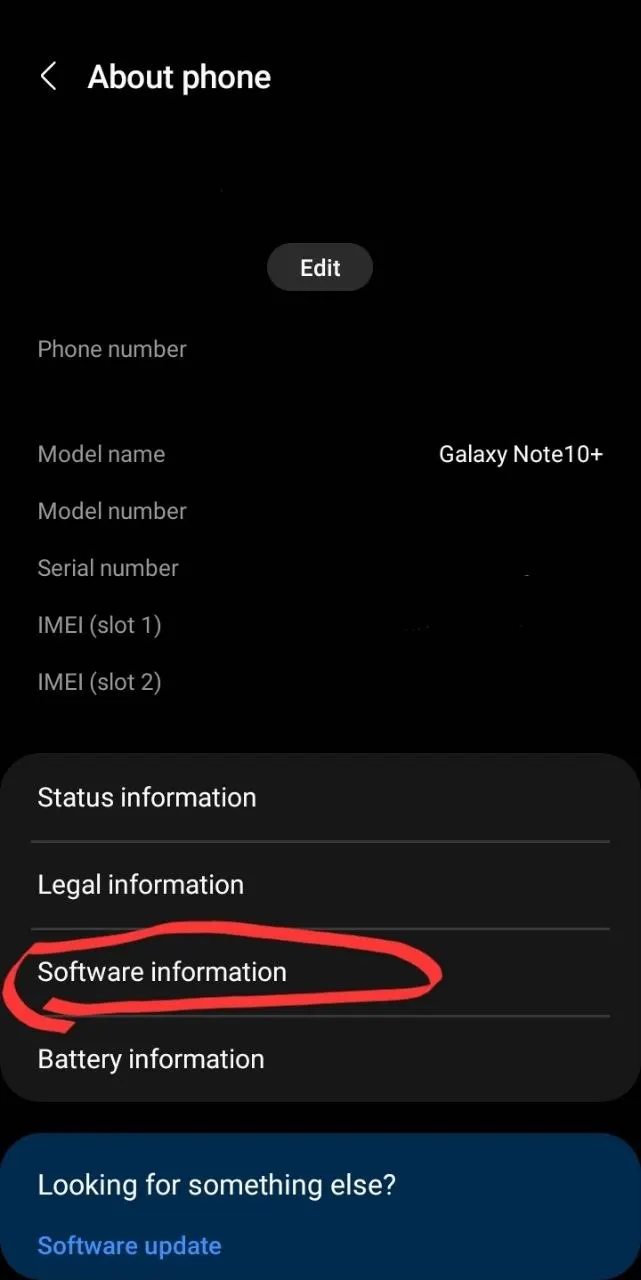
The One UI version should be displayed there.
Then check whether the feature is officially supported on the exact device model.
Do not rely solely on a video demonstrating it on another Galaxy phone. Two devices may run One UI 9 while having different feature sets.
For Galaxy AI functions, check whether the device is signed in to a Samsung Account.
Next, look for the feature inside its relevant application. My FanCam belongs to the Gallery editing workflow, while Now Brief settings are available through Galaxy AI on supported devices.
Updating the relevant Samsung applications through their normal update channels is also a reasonable troubleshooting step.
However, an application update will not override a hardware or regional restriction.
Language settings can matter too. Samsung’s documentation identifies language-specific requirements for features such as Interpreter and Now Nudge.
If the feature requires a supported language or downloadable language pack, its absence may have an explanation unrelated to the main operating-system update.
Finally, check local Samsung support documentation or Samsung Members for model-specific announcements.
Samsung maintains regional One UI rollout information, and its supported-device lists are not necessarily identical across markets.
A factory reset should not be the first response to a missing Galaxy AI feature. If Samsung has not enabled that feature for the device, resetting it will not change its eligibility.
Do not confuse One UI 9 with One UI 9.5
There is another complication for people following Samsung news in November.
On November 18, 2026, Samsung announced the One UI 9.5 beta program for the Galaxy S26 series in selected markets.
The beta introduces additional functionality, including App Lock, improved Pro camera controls, and new Samsung Health features.
Those announcements concern One UI 9.5, not the already installed stable One UI 9 release.
Someone reading about App Lock and then searching for it on a device running One UI 9 may reasonably conclude that something is missing.
But the feature belongs to a different software release.
Samsung initially opened the 9.5 beta to eligible Galaxy S26 users in selected countries, including Germany, India, Korea, Poland, the United Kingdom, and the United States.
That is separate from the stable One UI 9 rollout.
Before troubleshooting a feature mentioned in a recent article or video, check which One UI version the announcement actually concerns.
The difference between 9 and 9.5 is not merely a naming detail when the feature was introduced in the newer release.
The installed version is only the starting point
A major software update can deliver changes to the system interface while leaving certain capabilities restricted to particular devices, services, or regions.
One UI 9 illustrates that distinction clearly.
A Galaxy phone may run the latest stable interface and still lack a Galaxy AI feature available on another supported device.
My FanCam may be present but unavailable for a particular video. Now Brief may require account setup or permissions. Privacy Alerts may be limited by model support.
And some features circulating in November coverage may actually belong to the newly announced One UI 9.5 beta.
So the useful question is not simply whether One UI 9 is installed.
It is whether Samsung lists the specific feature as supported for that device, in that region, with the required account and software configuration.
Only after those conditions are established does it make sense to investigate a possible installation or application problem.
External Sources used for this article
- Samsung Global Newsroom — One UI 9 Official Rollout, September 16, 2026
- Samsung — How to Use My FanCam
- Samsung — How to Create Now Brief Custom Cards
- Samsung — One UI 9 Features and Compatibility
- Samsung — One UI Software Update and Rollout Information
- Samsung Global Newsroom — One UI 9.5 Beta, November 18, 2026